
Kanopy Help
Using the Continue Watching shelf
Note: You need a Kanopy account to use this feature.
The Continue Watching shelf on the Kanopy homepage and the Continue Watching section of My Lists show titles you've started but haven't finished. Select a title to go to its details page.
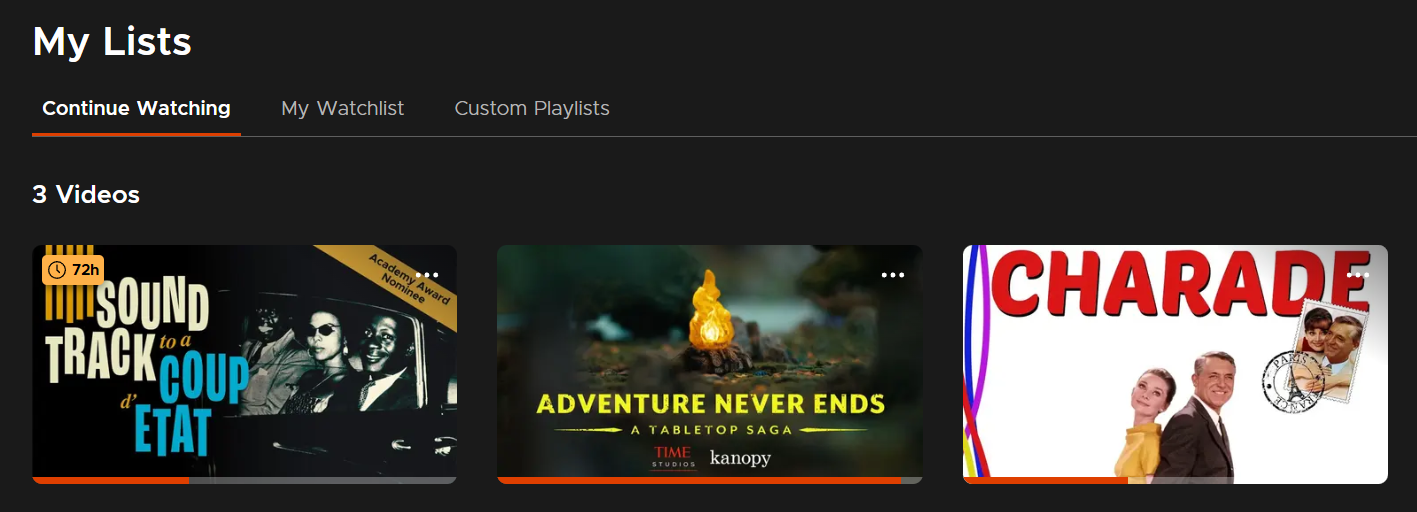
Continuing titles
On a title's details page, select Continue Watching to resume it.
If a title uses tickets and you have access to it, the number of hours until your access expires appears in the corner of the title art.
If a title uses tickets and your access has expired, you'll see the ticket requirement below "Continue Watching" on the details page.

Unlimited viewing titles won't have an "hours remaining" badge and don't require tickets. They can be resumed at any time.
Removing titles
Titles are automatically removed from Continue Watching when you finish them.
You can manually remove titles from Continue Watching on the Kanopy website or mobile app by selecting the options icon ( ), then Remove from Continue Watching.